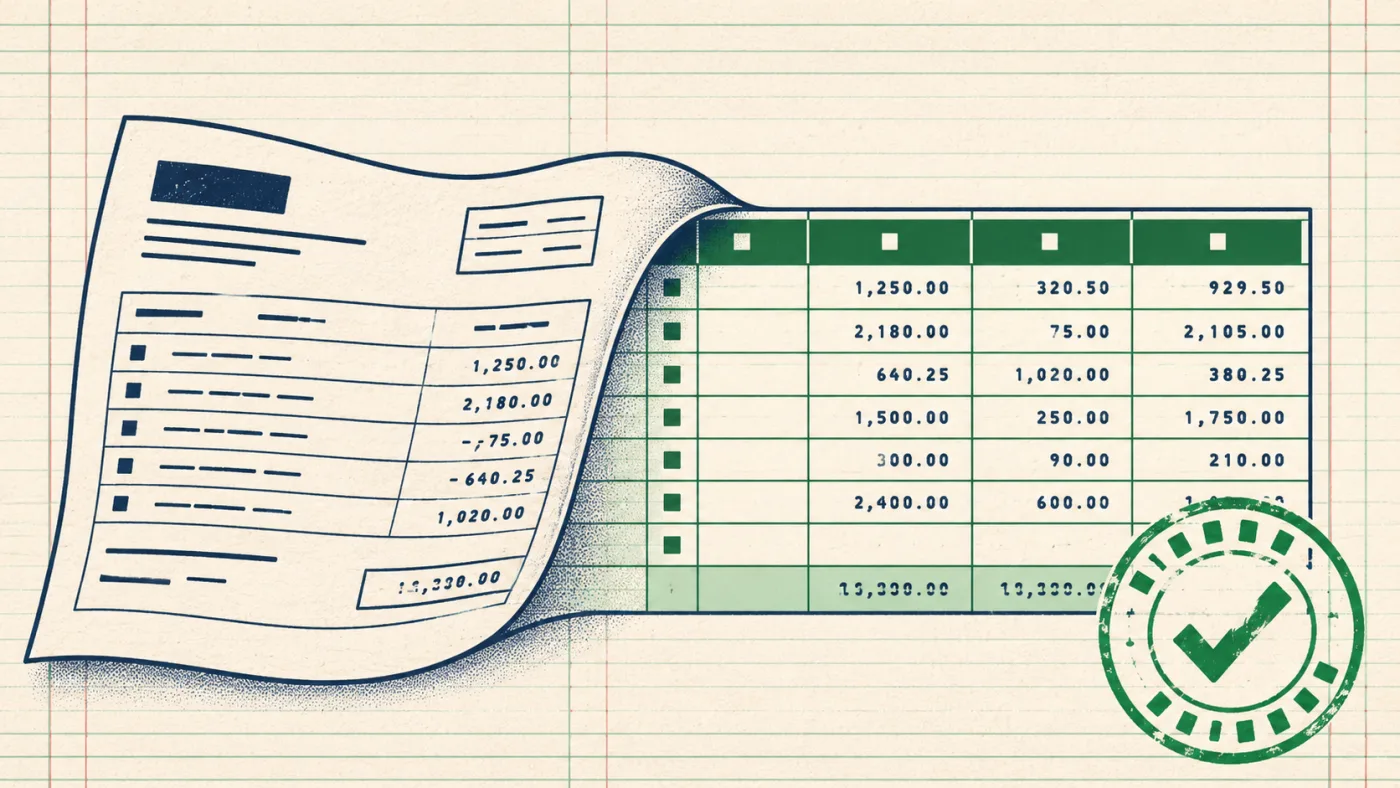
Bank statement converter · PDF → Excel / CSV / QuickBooks
Bank statements to Excel,
balanced to the cent.
Any bank, text or scanned PDF. 10 free pages a day without an account, then $2.99 for 30 pages — no subscription. Every statement is checked against its own opening and closing balance.
Drop bank statement PDFs here
Up to 20 files · text or scanned · password-protected PDFs OK
10 of 10 free pages left today · no sign-up · files deleted after processing
- Excel .xlsx
- CSV
- QuickBooks .qbo
- OFX
- Xero CSV
- Scanned PDFs
- Password-protected PDFs
- 20 files at once
In short
- What it does
- Turns bank statement PDFs into a spreadsheet: one row per transaction with date, description, amount and running balance
- Free
- 10 pages every day — no sign-up, no card, all formats
- Paid
- $2.99 / 30 pages · $5.99 / 100 · $14.99 / 400 — one-time, never expire
- Formats
- Excel, CSV, QuickBooks (QBO + CSV), Xero CSV, OFX, JSON
- Banks
- Any bank, any country; text and scanned statements
- Accuracy check
- Opening + transactions = closing, plus a per-row running-balance check
- Privacy
- Pages processed and discarded, never stored or used for training
Real output
Three statements in, three tables out.
Left: the first page of a PDF statement (fictional data). Right: what StatementPage produced from it, unedited — including a scanned one.
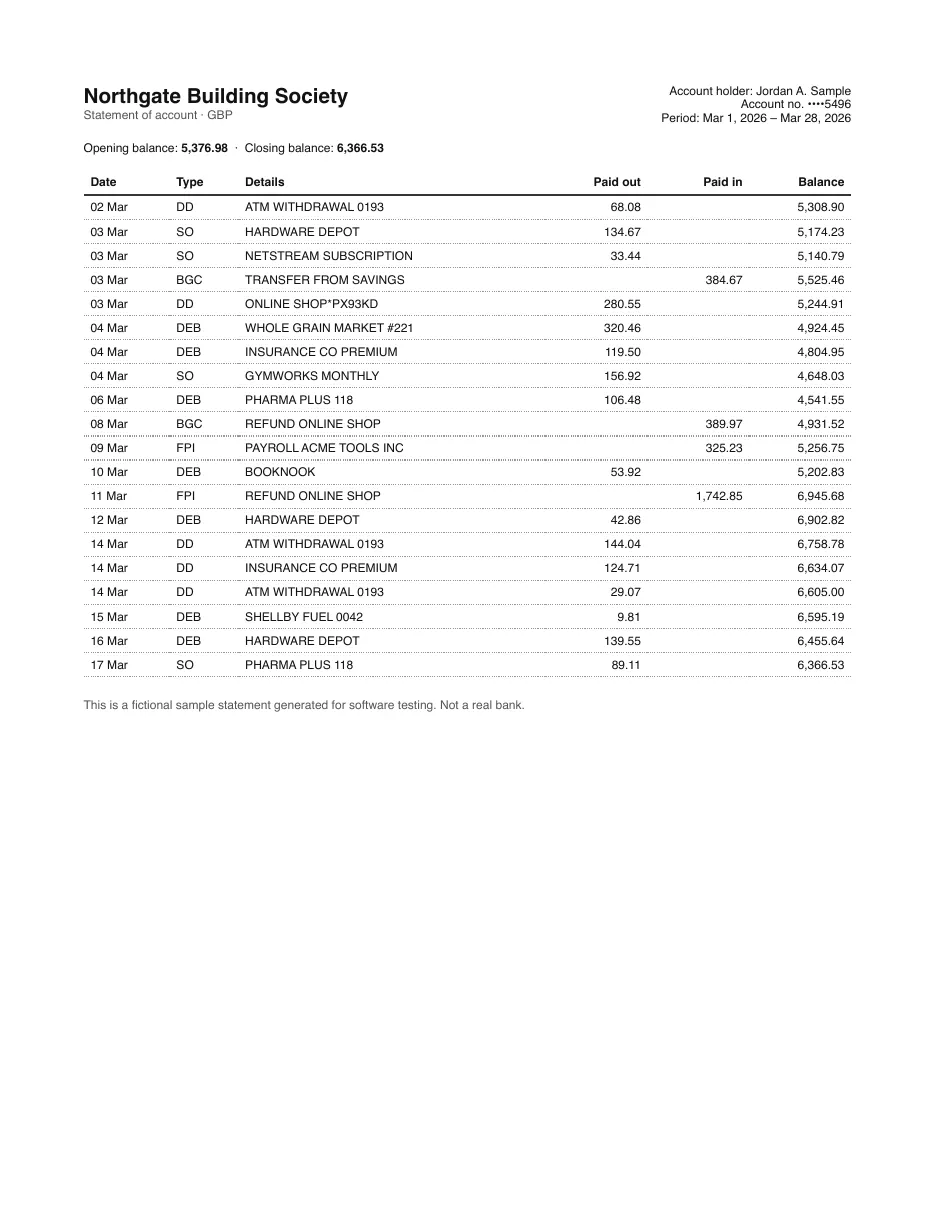
| Date | Description | Amount | Balance |
|---|---|---|---|
| 2026-03-02 | ATM WITHDRAWAL 0193 | -68.08 | 5,308.90 |
| 2026-03-03 | HARDWARE DEPOT | -134.67 | 5,174.23 |
| 2026-03-03 | NETSTREAM SUBSCRIPTION | -33.44 | 5,140.79 |
| 2026-03-03 | TRANSFER FROM SAVINGS | 384.67 | 5,525.46 |
| 2026-03-03 | ONLINE SHOP*PX93KD | -280.55 | 5,244.91 |
| 2026-03-04 | WHOLE GRAIN MARKET #221 | -320.46 | 4,924.45 |
| 2026-03-04 | INSURANCE CO PREMIUM | -119.50 | 4,804.95 |
| 2026-03-04 | GYMWORKS MONTHLY | -156.92 | 4,648.03 |
| 2026-03-06 | PHARMA PLUS 118 | -106.48 | 4,541.55 |
20 rows total · output as Excel, CSV, QBO or OFX
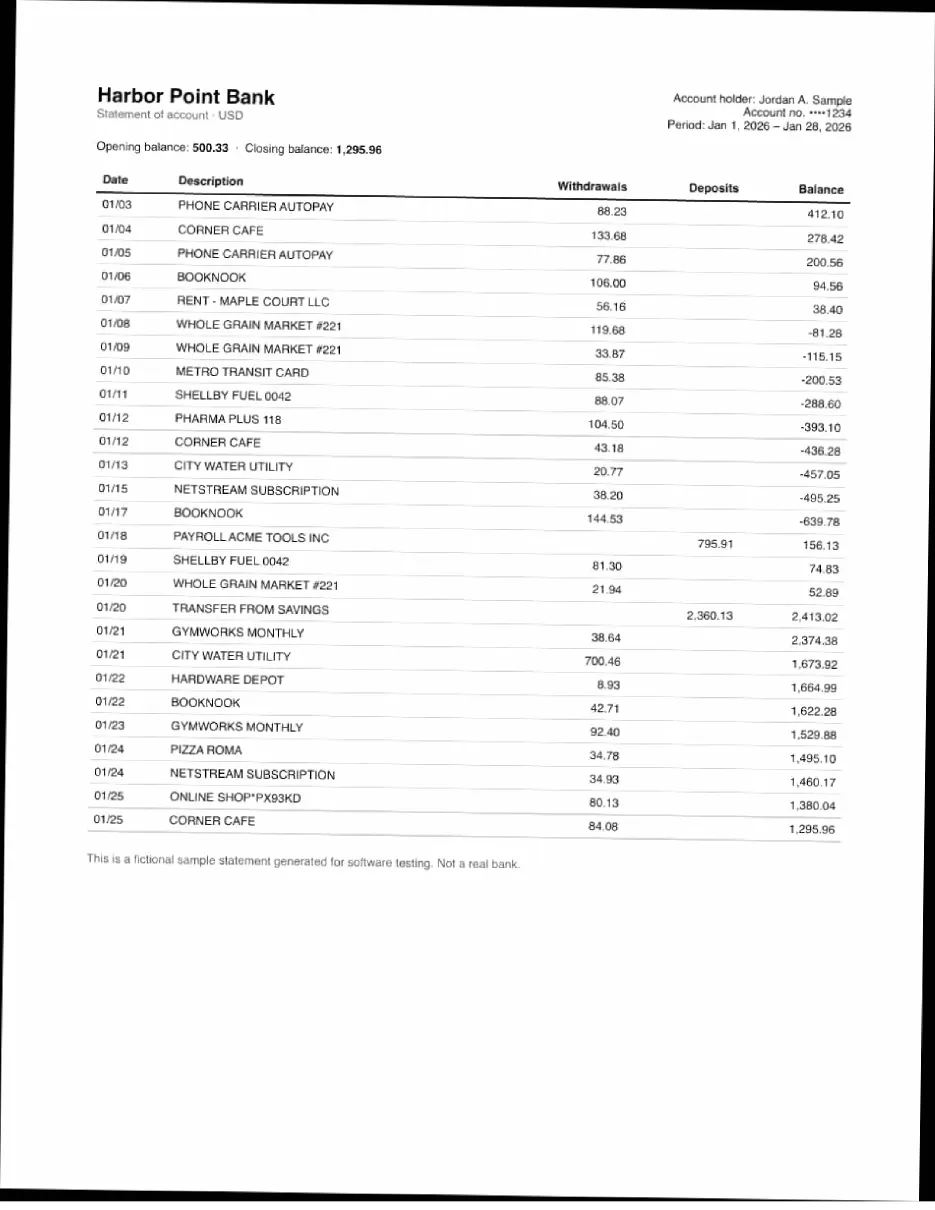
| Date | Description | Amount | Balance |
|---|---|---|---|
| 2026-01-03 | PHONE CARRIER AUTOPAY | -88.23 | 412.10 |
| 2026-01-04 | CORNER CAFE | -133.68 | 278.42 |
| 2026-01-05 | PHONE CARRIER AUTOPAY | -77.86 | 200.56 |
| 2026-01-06 | BOOKNOOK | -106.00 | 94.56 |
| 2026-01-07 | RENT - MAPLE COURT LLC | -56.16 | 38.40 |
| 2026-01-08 | WHOLE GRAIN MARKET #221 | -119.68 | -81.28 |
| 2026-01-09 | WHOLE GRAIN MARKET #221 | -33.87 | -115.15 |
| 2026-01-10 | METRO TRANSIT CARD | -85.38 | -200.53 |
| 2026-01-11 | SHELLBY FUEL 0042 | -88.07 | -288.60 |
27 rows total · output as Excel, CSV, QBO or OFX
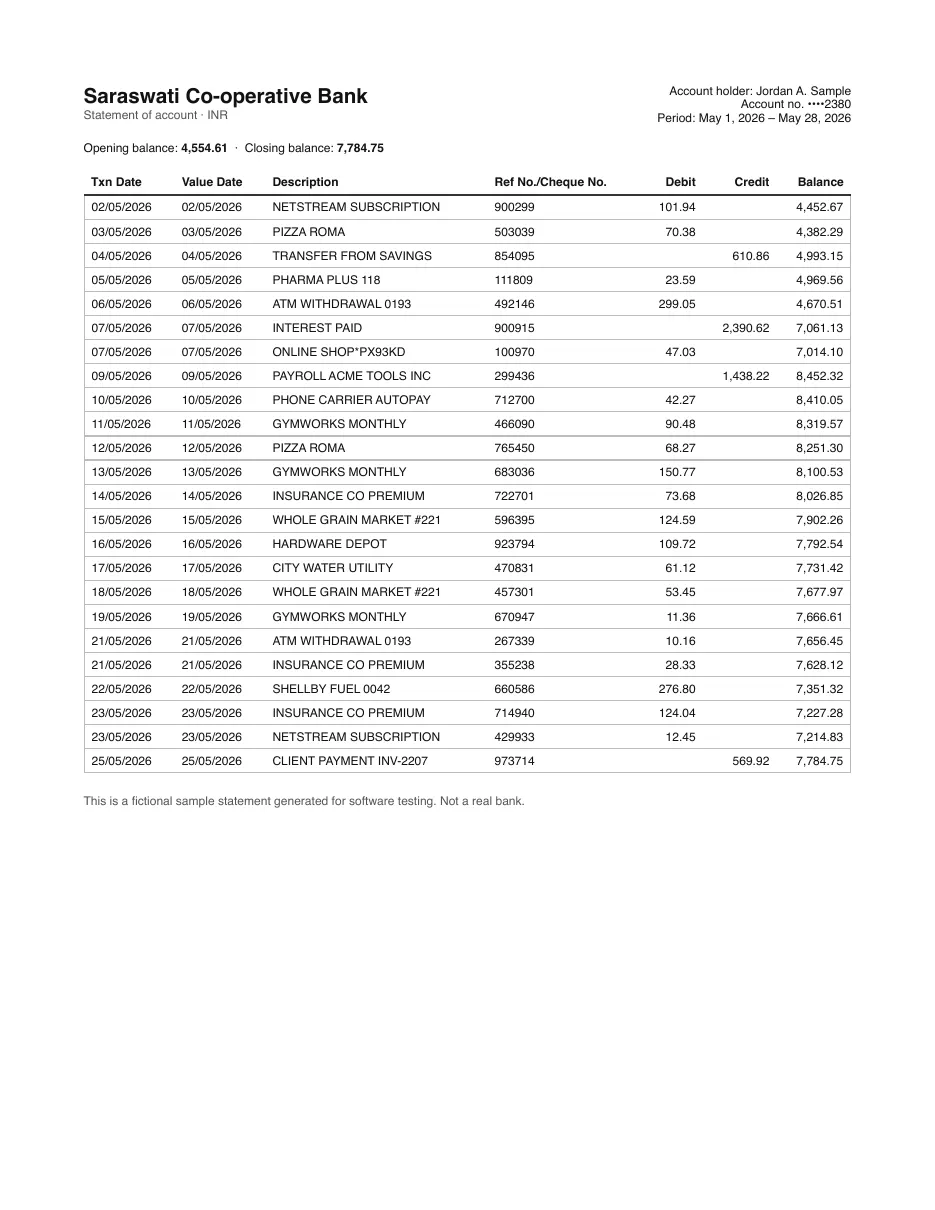
| Date | Description | Amount | Balance |
|---|---|---|---|
| 2026-05-02 | NETSTREAM SUBSCRIPTION | -101.94 | 4,452.67 |
| 2026-05-03 | PIZZA ROMA | -70.38 | 4,382.29 |
| 2026-05-04 | TRANSFER FROM SAVINGS | 610.86 | 4,993.15 |
| 2026-05-05 | PHARMA PLUS 118 | -23.59 | 4,969.56 |
| 2026-05-06 | ATM WITHDRAWAL 0193 | -299.05 | 4,670.51 |
| 2026-05-07 | INTEREST PAID | 2,390.62 | 7,061.13 |
| 2026-05-07 | ONLINE SHOP*PX93KD | -47.03 | 7,014.10 |
| 2026-05-09 | PAYROLL ACME TOOLS INC | 1,438.22 | 8,452.32 |
| 2026-05-10 | PHONE CARRIER AUTOPAY | -42.27 | 8,410.05 |
24 rows total · output as Excel, CSV, QBO or OFX
The part other converters skip
If it doesn't add up, you'll know which row.
A statement prints its own answer key: the opening balance, the closing balance, and usually a running balance on every line. We use all three.
- 1. Opening + money in − money out must equal closing.
- 2. Each row: previous balance + amount must equal this row's balance.
- 3. Pass → BALANCED. Fail → the exact difference and the rows to check, editable in place.
That's how scanned statements stay trustworthy: OCR can misread a digit, but it can't make a wrong digit add up.
| Opening balance | 1,204.18 |
| + Money in (14) | 3,850.00 |
| − Money out (41) | 2,967.42 |
| = Calculated closing | 2,086.76 |
| Statement says | 2,086.76 |
✓ Balanced
Pick your destination
Bank statement to Excel
Drop a PDF statement from any bank and get a clean .xlsx with Date, Description, Money out, Money in and Balance
Open converter →
Bank statement to CSV
Clean, UTF-8 CSV with one transaction per row
Open converter →
Bank statement to QuickBooks
Get a .qbo Web Connect file QuickBooks imports in one step
Open converter →
Scanned statement to Excel
Paper statements, phone photos saved as PDF and image-only bank downloads
Open converter →
Pricing
Pay for pages, not for a subscription.
Most people convert a few statements at tax time or for a loan application. Monthly plans make you pay all year for that. Our packs never expire.
Free
$0
10 pages every day
- No sign-up, no card
- All export formats
- Scanned pages included
30 pages
$2.99
30 pages · $0.100/page
- One-time payment
- Credits never expire
- Unreadable pages not charged
100 pages
$5.99
100 pages · $0.060/page
- One-time payment
- Credits never expire
- Unreadable pages not charged
400 pages
$14.99
400 pages · $0.037/page
- One-time payment
- Credits never expire
- Unreadable pages not charged
Cost calculator
48 pages − 10 free today = 38 paid
2 × 30 pages
$5.98
How it compares
| Converter | Free without paying | Price | Subscription | Balance check |
|---|---|---|---|---|
| StatementPage | 10 pages/day, no account | $2.99/30 pages · 3.7¢/page at 400 | No — one-time packs | Yes, every statement + per-row |
| DocuClipper | Trial with sign-up | From $29/month (Starter) | Yes | Yes |
| Statement2Sheets | A few pages to try | $3/25 pages, then $0.10/page | Optional | Not advertised |
| BankStatementConverter.com | 1 page/24h (more with free sign-up) | Monthly plans | Yes | Not advertised |
Competitor prices from their public pricing pages, November 2026. DocuClipper alternative →
Privacy
Your statements aren't kept.
- • The PDF is opened in your browser. Only one page's content at a time is sent for conversion.
- • Pages are processed in memory and discarded — no copies, no training, no account to tie them to.
- • PDF passwords never leave your browser.
- • The converted table stays in your browser tab until you download it.
Questions
Is there a free bank statement converter with no sign-up?
Yes. StatementPage converts 10 pages a day free, with no account, no email and no card. A typical monthly statement is 2–6 pages.
How much does it cost after the free pages?
One-time page packs: $2.99 for 30 pages, $5.99 for 100, $14.99 for 400 (under 4¢ a page). No subscription, nothing renews, credits never expire, and pages we can't read are never charged.
How much would 20 scanned statements cost?
At 4 pages each that's 80 pages: 10 free, then one $5.99 pack covers the rest with pages left over. Scanned pages cost the same as text pages.
Does it work with scanned or photographed statements?
Yes. Image-only pages are read with OCR, then every row is checked against the running balance so a misread digit shows up as a highlighted row instead of slipping into your books.
Which banks are supported?
Any bank. The converter reads the page layout instead of relying on per-bank templates — split debit/credit columns, single signed columns, DR/CR markers, parentheses for negatives, European 1.234,56 amounts, Indian lakh grouping, newest-first statements and multi-line descriptions are all handled.
What formats can I download?
Excel (.xlsx), CSV, QuickBooks Web Connect (.qbo), QuickBooks 3-column CSV, Xero CSV, OFX (Quicken, Wave, most accounting apps) and JSON. Several statements can be merged into one file.
How do I know the conversion is right?
Each statement is reconciled: opening balance + all converted transactions must equal the closing balance printed on the statement. Matching statements get a BALANCED stamp; anything else shows the exact difference and highlights the rows to check. Every cell is editable before you download.
Are my statements stored or used for training?
No. Pages are processed one at a time and discarded; the converted table lives only in your browser until you download it. We don't keep copies and we don't train on your files. PDF passwords never leave your browser.
Can I convert password-protected PDFs?
Yes. Enter the password when asked — the PDF is unlocked in your browser, and only the page content is sent for conversion.